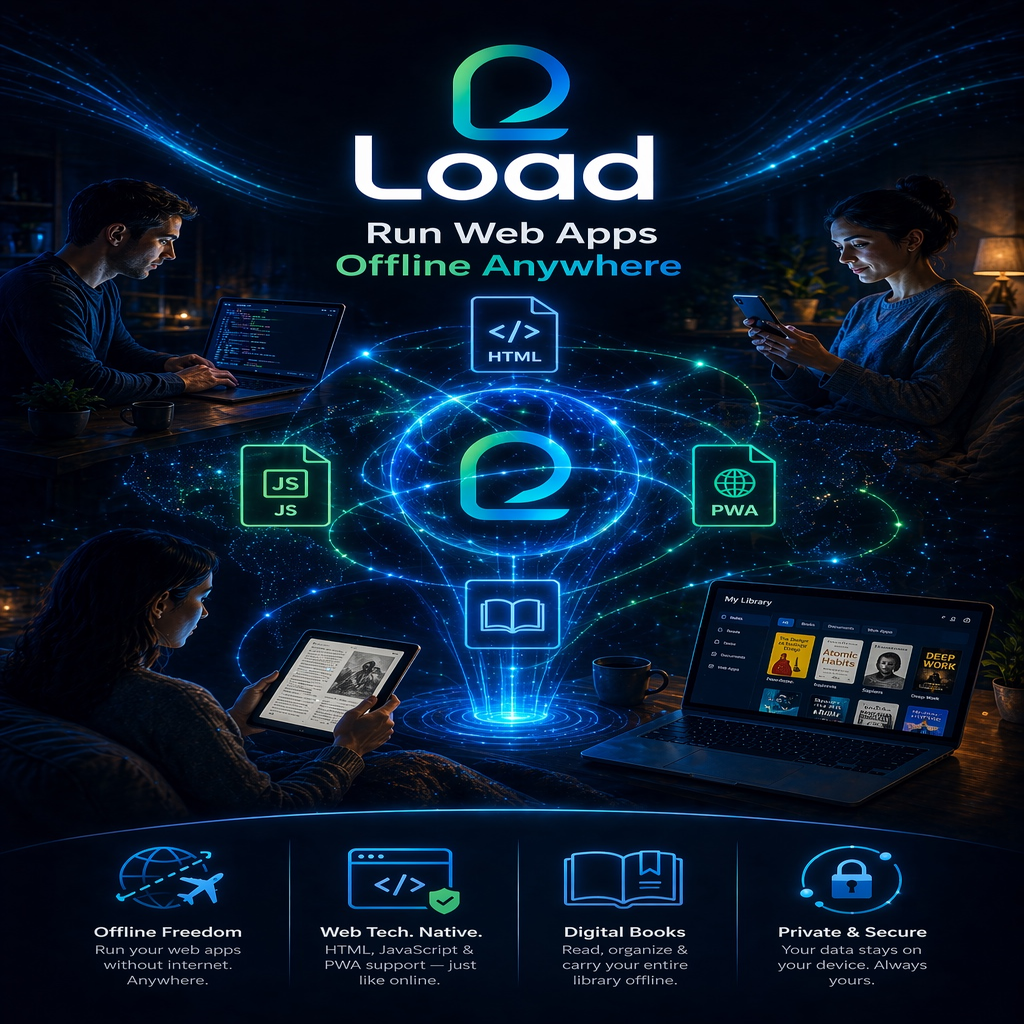
Load™
Run Web Apps on iPad
Run Web Apps on iPad
Type what you want to share. Load turns it into a nice, offline-ready web page you can save to your Library, share with family, or add to your home screen.
Just type. Blank lines make new paragraphs. For Checklist, type one item per line. Links like https://example.com become clickable automatically.
Pick the kind of file you have. Each opens the iPad file picker set to the right filter.
Tip: the file picker lets you pick from On My iPad, iCloud Drive, Dropbox, Google Drive, OneDrive (if those apps are installed), connected USB drives, and Recents.
Kindle books (.azw, .mobi, .kfx) are DRM-locked. Convert to EPUB with Calibre first.
Tap Add to import files from your iPad.
Supported: .html (single-file web app) · .zip (web app bundle) · .pdf · .epub · .docx · .txt · .md
Full PWA folder? Two options on iPad: zip the folder first in Files, or tap Add and multi-select all the files in the folder (Files app supports multi-select).
Kindle books? Amazon files (.azw/.mobi/.kfx) are DRM-locked. Use Calibre on a computer to convert them to EPUB first, then import the EPUB here.
Bookmarks save your place in the current app. Tap any bookmark to jump back to it.
This cannot be undone.
A PWA is a folder of web-app files (HTML + CSS + JS + images, etc.). iPad Safari can't pick a folder directly, so here are the two ways that work:
.zip. Then come back here and import that zip.After import you can View the PWA (default) or Edit its HTML source in a simple text editor, then save your changes back.
Pick a tool. Each one tells you what it does. New here? Start at Library — that's where every imported file lives.
Tip: Tools that need a project open (Asset Doctor, Code Editor, Export) will say so and walk you to the Library if nothing is selected.
You're editing the HTML source. Changes save only in Load — your original file on iPad is untouched. Stuck? Tap the 💬 speech bubble icon to ask Load for help.
Load is a safe, offline reader on your iPad.
You put files into it — HTML web apps, PDFs, EPUB books. Then you can read them, hear them read aloud, make notes, and bookmark places.
Everything stays on your iPad. Nothing goes to the internet. Nothing is shared.
Yes.
If you want to save a copy somewhere else, use Settings → Library Backup → Export library to file.
There are four main screens:
The top bar has buttons for each one: 🏠 Home, 📚 Library, ⇪ Import. Tap the one you want.
If you get stuck, just tap 🏠 Home in the top bar. Home is always safe to return to.
Every icon also has a written label next to it when your iPad is wide enough. On a narrow screen the labels hide to save space.
Tap the ⚙ Aa gear icon in the top bar. Try these, one at a time:
Each change is instant. You can undo anything — tap Reset next to each control.
Yes. Open any item. In the viewer, tap the 🔊 speaker icon. A small drawer slides up.
To add more voices, open your iPad's Settings app → Accessibility → Spoken Content → Voices. Pick any voice and tap the download button next to it.
Yes, Load is a real iPad app once you Add to Home Screen. Both Load and HTMLq use the same iOS mechanisms:
What Load has that HTMLq doesn't: reading aids, Load AI, TTS / Read Aloud, dyslexia fonts, color themes, bookmarks, notes, folders, library, content-aware Helper, share feature, backup / restore, Create new pages, HTML editor, developer console, ZIP / PDF / EPUB / Media import.
What HTMLq has that Load doesn't: an App Store listing (HTMLq is a native Swift app). That matters if you want to distribute Load to other people via the App Store, but for personal use on your iPad there's zero functional difference after Add to Home Screen.
If App Store distribution matters to you, the Swift Playgrounds path is open — see /load-ios/ in the repo where we started that build (paused at Step 4.5).
Make Load itself a home-screen icon so it opens like a native app (no Safari chrome, works offline):
A Load icon now lives on your iPad home screen. Tap it anytime — it launches full-screen, runs offline, and carries all your imported apps and notes with it.
Tip: adding Load to the home screen once locks in offline mode. Even with Airplane Mode on, tapping the icon opens Load instantly.
You can give every imported file its own dedicated home-screen icon:
The new icon opens Load and jumps straight into that specific app, skipping the home screen. Each app you add this way gets its own distinct icon.
iPadOS 15 and newer lets you customize the home-screen icon right in the Add to Home Screen sheet:
That icon now shows on your iPad home screen. iOS applies its standard rounded-square mask — square or circular images work best, at least 180×180 pixels.
This works for both Load itself and for each per-app home-screen icon you add from a library tile. So every app you add can have its own distinct picture.
Older iPadOS (before 15): iOS uses Load's default icon. Update iPadOS to get custom icon support.
Tap Get Started or Import in the topbar. iPad's file picker opens, letting you pick from:
Supported: .html, .zip, .pdf, .epub.
Tap Import a PWA on the home screen. Two ways that work on iPad:
Open any imported app. In the viewer top bar, tap the 🔊 speaker icon. A drawer slides up with Play/Pause/Stop, speed, and a voice picker.
Enhanced (high-quality) voices are marked with ★ in the dropdown. To install more, open iPad Settings → Accessibility → Spoken Content → Voices and tap the ↓ icon next to any voice to download it.
In the viewer, tap the ★ star icon. Tap "Add bookmark here" and give it a name (like "Chapter 3" or "Page 48"). Later, open the same bookmarks drawer and tap Jump next to any entry to return to that spot.
Your last scroll position is saved automatically even without a named bookmark — Load always re-opens where you left off, and the home screen shows a green "Continue: <app name>" button when you can pick up where you stopped.
In the viewer, tap Aa. You get:
Global settings live behind the ⚙ gear icon in the topbar.
Two ways:
For a standalone note not tied to any app, tap the 📝 notes icon in the home topbar → + New Note.
Yes. Once Load is installed (either opened once in Safari or added to Home Screen), it runs entirely from your iPad. No internet is needed to open Load or any imported file. No data ever leaves your device.
Test it yourself: turn on Airplane Mode, tap the Load icon — it works.
Yes. In the library, tap … on any tile → Edit HTML. A full-screen editor opens with the raw HTML. Save writes the changes to Load's local storage; your original file on iPad stays untouched.
Amazon Kindle files (.azw, .azw3, .mobi, .kfx) are DRM-locked and can only open in Amazon's apps. Convert them to EPUB first using Calibre (free desktop tool, calibre-ebook.com) on a computer, then import the EPUB here.
If you deleted an imported file before exporting a backup, it's gone from Load. But your original file on your iPad is not touched — Load only deleted its own copy.
To find the original file again: open the Files app on your iPad and search for it. Then re-import it into Load.
To protect against this in the future: go to ⚙ Settings → Library Backup → Export library to file. Save the backup to iCloud or email it to yourself once in a while. If anything is lost, import the backup to restore.
Most buttons do only one small thing and can be undone.
The only buttons that really change things for good are Delete buttons (red). Those always ask "Are you sure?" before anything happens.
Try these in order:
Your imported files, notes, and bookmarks stay on your iPad through all of these steps — unless you choose step 4, which clears everything. So if you ever have to do step 4, export a backup first if you can.
Everything saves to your iPad, inside Safari's storage for Load. Specifically:
You don't need to know the technical names. What matters: it all stays on your iPad, nothing is synced to a server, and you can back it up any time with Settings → Library Backup → Export library to file.
Big PDFs and EPUBs take up the most space. Each imported file is copied into Load so it works offline.
To free space:
If you want to keep a backup before deleting, first export: Settings → Library Backup → Export library to file. Then delete from Load. Later you can re-import the backup or just the individual files.
Most changes save automatically the moment you do them.
Load never loses data from normal use. Data only goes away if you use Delete, or if you clear Safari's website data in your iPad's Settings app.
.html file can be a whole small app.Yes. On the Import screen (tap Get Started), the orange 🎞 Media card accepts:
Each imported file becomes its own tile in the library. Tap a tile and it plays/shows full-screen with native iPad controls (play, pause, scrub for video; zoom for images).
Tip: for long videos, the iPad's built-in Files / Photos app may still be the faster choice. Load is best for short clips you want alongside your readings, books, and notes.
You can group imported items into folders like "My Books", "Work Tools", or "Reference":
Above the library grid, a row of chips shows All / HTML / PWA / PDFs / Books / Media, plus one chip per folder you've made. Tap any chip to filter. Tap the active chip again to go back to All.
You can rename or delete a folder from the same Settings section. Deleting a folder unassigns its items; it does not delete the items themselves.
Load bundles everything — imported apps + books + media, all notes, all bookmarks, folders, your settings — into one file so you can restore later.
The file is named load-library-backup-YYYY-MM-DD.json. Do this whenever you add a lot of new items.
If you've switched to a new iPad, had to clear Safari data, or want to bring your Load library back:
load-library-backup-*.json file from Files.Open Library and tap the magnifying-glass (🔍) icon in the top bar.
A search box slides down. Type any word — Load filters the grid live. Search looks inside:
Combine search with the filter chips above the grid (All / HTML / PWA / PDFs / Books / Media / your folders) to narrow further. Tap the ❌ to clear the search.
Load saves your scroll position in any item every 1.5 seconds while you read.
For named places like "Chapter 3" or "Page 48", use bookmarks:
Later, tap the same star to see your bookmarks list and tap Jump on any to go back to it.
Yes. Per-app theme, font size, spacing, and overlay stay with whatever item you last used them on.
In the viewer, tap Aa. In the "This app's theme" row, pick one of Default / Dark / Cream / Sepia / Blue. That choice applies only while you're reading this item. When you leave the viewer, the app-wide theme returns.
Great for: reading books in cream, viewing web apps in dark mode, flipping PDFs in sepia — without constantly reconfiguring.
In the viewer, tap Aa. The "Reading time" row shows total minutes spent in that item across all sessions.
No goals, no shaming — it's just a number so you can notice patterns (like "Oh, this book has taken me 3 hours total").
Yes — Load lets you export any item as a single self-contained HTML file. Open Library, tap the … on the tile → Share / Export as HTML.
Your iPad's share sheet opens. Pick:
Whoever receives the file can double-tap it to open in Safari, then tap Share → Add to Home Screen to get their own offline copy.
Notes, bookmarks, and reading position stay with you — only the content itself is exported.
Yes, as long as you import the site's files first. A few ways:
.html file and it runs offline forever.index.html and bundles the rest.Once imported, you can: open offline, give it a home-screen icon, export it as a standalone HTML, share it.
Sites that fetch data from a live server won't work offline — those pieces need internet. Pre-bundled static sites work perfectly.
Yes. Every imported item in Load already becomes a self-contained HTML — you just need to export it:
The exported file is:
For a full-library backup (every item in one file), use Settings → Library Backup → Export library to file instead.
Not yet. Load is currently zero-AI — 100% local, 100% free, 100% offline after install.
Open-source browser-based AI is possible to add later (models like transformers.js can run in Safari), but each model is 30–500 MB extra download, which would break the "stays small and simple" pattern Load has now.
If you want AI help on a specific book or document, two good patterns:
Partly. Load already works as a lightweight sandbox for testing HTML / CSS / JS:
allow-scripts allow-same-origin allow-forms allow-popups, so most apps run unrestrictedWhat Load doesn't have: a built-in JavaScript console, network inspector, or live-reload watcher. Safari's Web Inspector (connected from a Mac via USB) gives you those for free on any PWA including Load itself. For iPad-only development, Inspect Browser and Kodex are paid apps that add dev tools.
Three taps, once:
Now Load lives on your home screen with its own icon. Tap it and it opens fullscreen, no Safari bar, fully offline. Same storage, same Library — nothing re-downloads.
To uninstall: long-press the Load icon on your home screen → Remove App. That also clears Load's storage, so export your Library first if you want to keep your imports.
Works:
Doesn't work: Kindle formats (.azw, .mobi, .kfx, .prc) are DRM-locked and can't be opened in Load or any third-party app. Convert to EPUB first using Calibre on a computer, then import the EPUB.
If something fails: Load shows a full-screen modal with the exact reason (empty file, oversized, encrypted PDF, corrupted zip, EPUB missing container.xml, …) and a Open Scan & Fix button that jumps you into the Developer Console. There is no silent failure.
The 🔧 wrench icon in the top bar opens the Developer Console. It has two tabs:
Use it when: an imported file shows blank, a PDF doesn't render, a zip loads the sidebar but not the content (the ACR reader freeze!), a page looks wrong, or a script in your own Create page throws an error. The Scan tab will usually tell you exactly what's missing in one sentence.
Load AI is the built-in 💬 chat assistant. Fully offline. No downloads. No accounts. No API keys. Nothing leaves your iPad.
It does two things:
/explain — plain-language walkthrough of the file./fix — runs the Scan and lists fixable issues./optimize — size / performance / accessibility suggestions./analyze — structure summary (tags, scripts, styles, assets, manifest)./scan or /debug — jumps to the Dev Console./help — lists every command.For deeper content answers you can one-tap hand off to a free AI site (ChatGPT, Claude, Gemini, Perplexity) — Load copies the current text + your question to the clipboard and opens the site in a new tab. You can choose to skip that step.
Optional, future phase: downloadable on-device model (WebLLM / transformers.js) for richer answers. Off by default; will always be opt-in.
Tap Create New on Home (or use the 💬 assistant and say "make a recipe for pasta"). Pick a template:
## Chapter title on its own line to start a new chapter.Tap 📄 Save as Template to reuse any page you've built. Your templates appear as buttons above the body editor. Each has a × to remove it. Up to 30.
Tap the … button in the top-right corner of any Library tile. The menu that opens has a red 🗑 Delete from Library option at the bottom. Tap it, confirm, and that item is removed from Load's storage.
Deleting only affects Load — the original file in Files / iCloud / wherever you imported from is untouched.
Every question here is a small collapsible. Tap any question to see its answer. Tap again to collapse.
You can always tap ? in the top bar to come back to this Help window.
There is no quiz, no wrong answer, no way to break Load from normal tapping. Explore at your own pace.
Pick the typeface that feels easiest to read.
Overlay tint for the whole app.
Defaults used when you tap the speaker in the viewer. Enhanced voices sound much better — install more in iPad Settings → Accessibility → Spoken Content → Voices.
A natural neural voice that lives inside Load — not the iOS voice list. One ~30 MB download, then it works offline forever. Pronounces Hebrew names (Bereshit, Chanokh, Yovelim) properly. Same voice on every device.
Shared across the ACR / Attain / Attain Jr / Study apps on this device — only downloads once, even if you use all of them.
First install must be on Wi-Fi. After that the voice works offline forever. If something breaks, tap Repair voice. If repair keeps failing, tap Skip Piper and keep using the iOS voices — everything else in Load works fine without Piper.
Run these in order. Each button reports Pass or the exact reason it failed, so we can tell which layer (raw audio, browser voice, Piper generation, Piper playback) is the culprit.
Load cycles through providers in the order below. The built-in rule-based assistant always runs first; cloud providers only get used for questions it can't answer. No anonymous relays — every cloud provider uses your free-tier API key, stored only on this device. Sign up once at the provider's site, paste the key, done.
Privacy: your browser talks directly to each provider. Load never proxies, never sees your keys or your prompts. Keys live in localStorage — clearing Safari data removes them.
Curated knowledge base + slash commands (/explain, /fix, /optimize, /analyze, /plan, /term). No network, no download, instant answers. Always tried first.
Runs Qwen1.5 0.5B in your browser via transformers.js. 100% private — no prompts ever leave your device. One-time ~400 MB download, then works offline forever. Slow on iPad (5–20 sec per reply).
Not installed
Free public AI endpoint. No sign-up, no API key, just works. Default fallback when no other provider is configured. Disable this if you'd rather your prompts never leave for a third-party server.
Ready (no key needed)
Gemini 2.0 Flash. Free tier: ~1,500 requests/day, no card needed. Sign up at aistudio.google.com/app/apikey → Create API key.
No key
Runs Llama 3.3 70B — extremely fast (sub-second). Free tier with generous daily limit, no card. Sign up at console.groq.com/keys.
No key
Router that lets you call many free open-source models through one key. Sign up at openrouter.ai/keys. Load uses only models marked :free, so you're never charged.
No key
Runs open-source models hosted by HuggingFace. Free tier, no card. Create a read-only token at huggingface.co/settings/tokens.
No token
Each answer shows which provider handled it. When one hits its rate limit, Load silently cycles to the next enabled provider. If every cloud option is unavailable and you haven't installed the on-device model, Load still answers from the built-in layer.
This IS your Load app, not a website — once added to the home screen, it runs fullscreen, works offline, has its own icon, and doesn't need Safari.
Checking install status...
Group imported items into collections like "Books", "Work tools", or "Reference". Folders show as filter chips on the Library screen.
Save your whole Load library (imported apps, notes, bookmarks, folders) as one file you can restore later — useful before iOS updates or when moving to a new iPad.
Turn off subtle transitions and animations.
No app open. Open any imported file in the viewer, then tap Scan current page to detect broken assets, missing manifest entries, script errors and more. Load will explain every issue in plain language and offer to fix what it can.
Each fix is applied in order. You can always undo by re-importing the original file or by editing the HTML source.
Load couldn't finish importing this file. Reason:
What to try: re-export or re-zip the file, confirm it opens in another app (Files / Books / Safari), then import again. If you already have a partially imported version in your Library, open it and tap Scan & Fix below to run a full diagnosis.
Same idea as HTMLq — tap an icon on your home screen, Load opens fullscreen. No App Store needed.
After that: tap the Load icon on your home screen, and it opens like any other app. Works with Airplane Mode on. Own storage. Never needs the web browser again.
Want Load truly in the App Store? That needs Apple's native app path (Swift). Load's Swift Playgrounds project is in the repo at /load-ios/ — you paused at Step 4.5 earlier. Resume anytime.
Hi — I'm Load AI. Built into Load, 100% offline, no account needed. I can help you:
Copilot-style slash commands run against the file you're looking at:
/explain — plain-language walkthrough of the file./fix — find broken assets, missing meta, JS errors — with auto-fix./optimize — size, performance, accessibility suggestions./analyze — full structure breakdown (tags, scripts, styles, assets)./scan — open the Developer Console and run a full scan./help — list every slash command.For everything else, I can route to free cloud providers — Gemini, Groq, OpenRouter, Hugging Face — each using your own free-tier key (stored only on this device; Load never proxies or sees it). Or install a small on-device model for 100% private offline answers. Open Settings → Load AI to set up whichever you trust. Cloud providers are off by default.
Load stays small and offline — it has no AI built in. Instead it copies what's on your screen and opens a free AI website so you can paste and ask a question.
Then pick which free AI site to open. Your text is already copied — paste it in the first message.
Now follow these 3 steps in Safari to save as an icon on your iPad home screen:
The new icon opens Load and jumps straight into this app. Each app you add this way gets its own icon, just like a native app.